
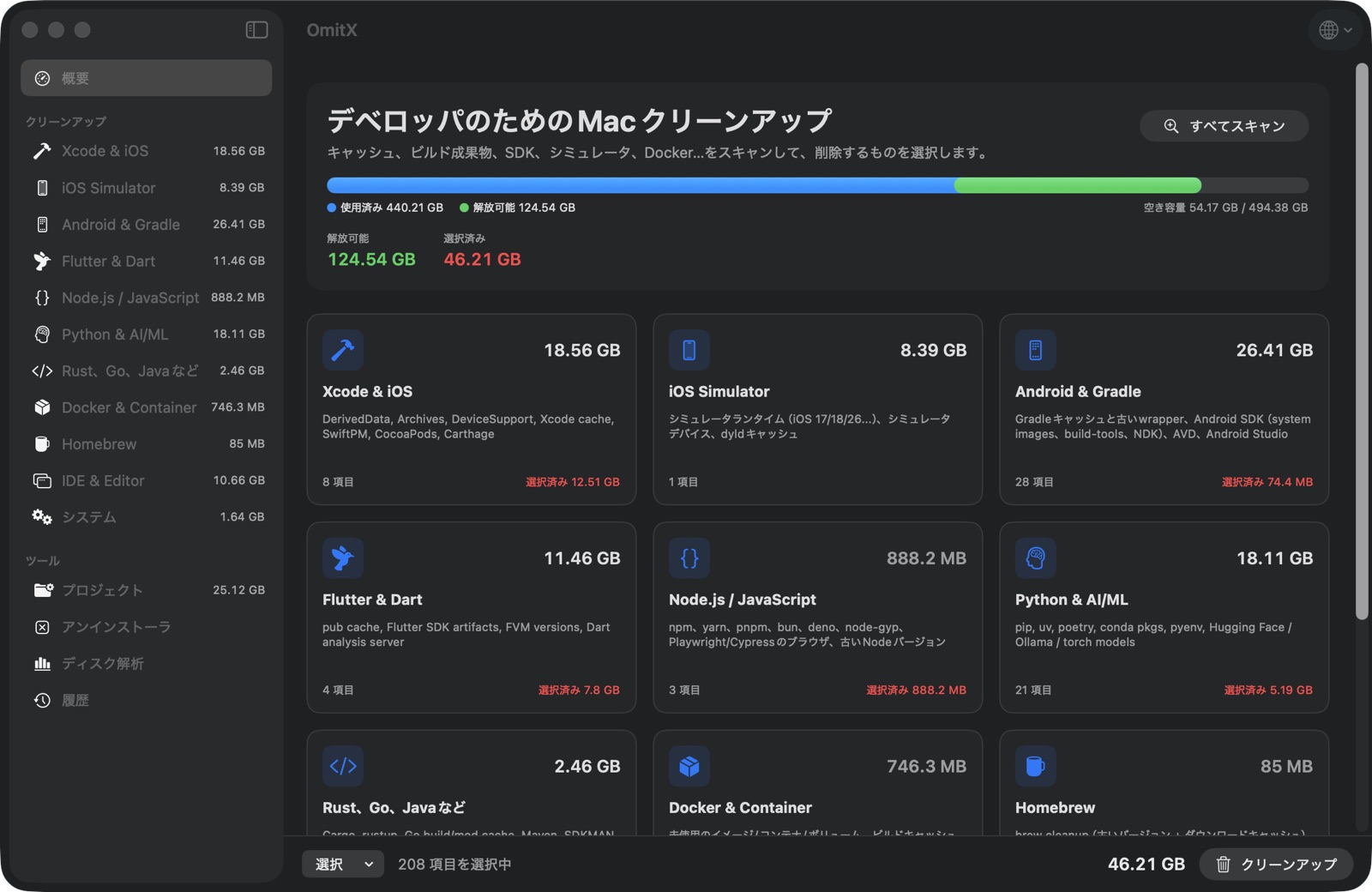
Xcode & iOS DerivedData
Per-project build products, device support, archives, docs cache.
DerivedData, simulator runtimes, Gradle caches, old NDKs, .dart_tool, node_modules in projects you haven't opened in months, and the transcripts and /tmp scratch your AI coding agents never clean up. OmitX finds it all in one scan — and only deletes what your tools can rebuild.
Free to use. This download is also the one you can upgrade to Pro. Building from source gives you the free edition only.
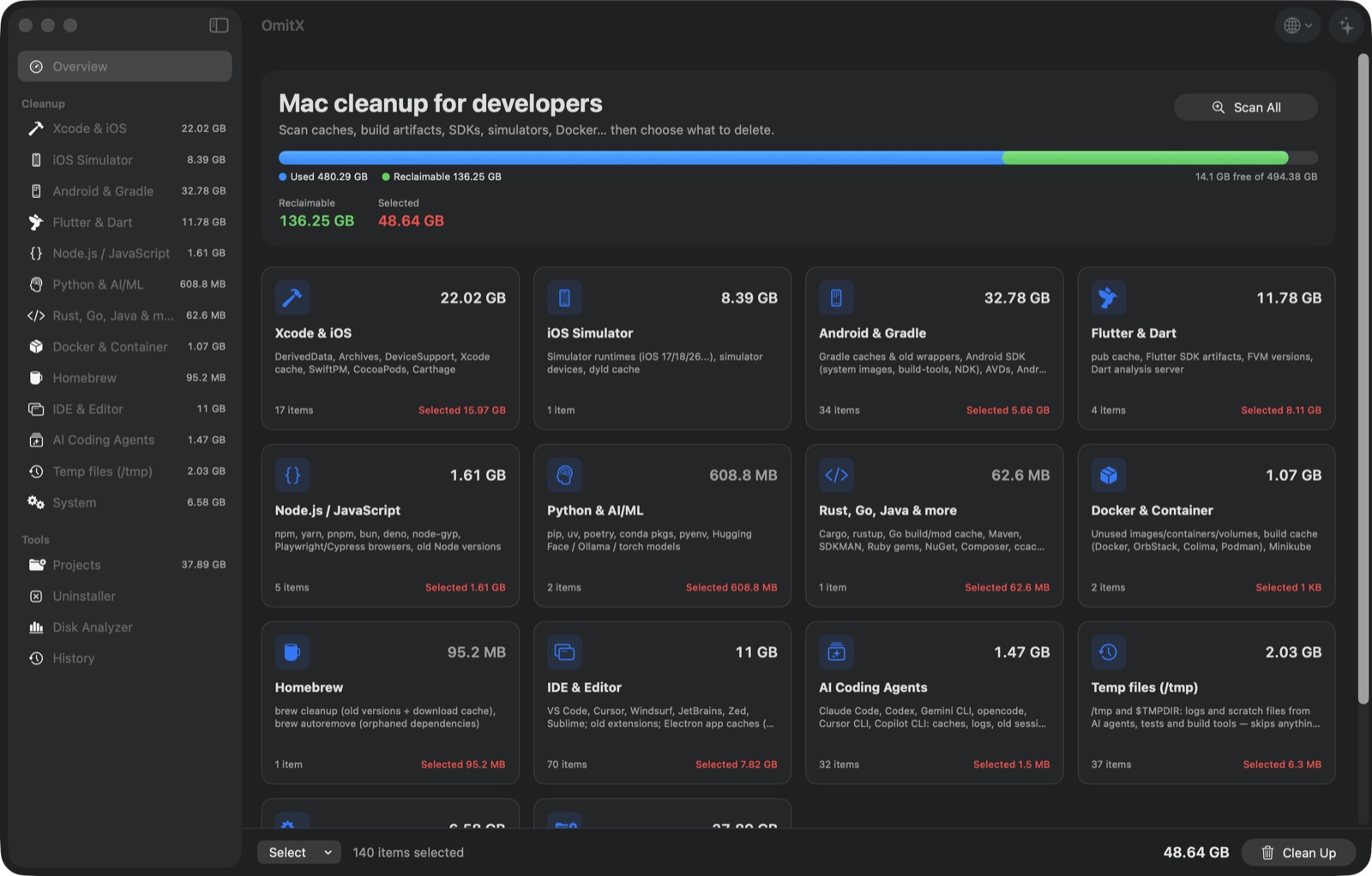
What it cleans
Generic cleaners see "caches". OmitX knows a Gradle wrapper from a Gradle cache, keeps your newest DeviceSupport folder, and deletes simulator runtimes through simctl the way Xcode expects.
Per-project build products, device support, archives, docs cache.
Runtimes by version, unavailable and orphaned devices, dyld caches.
Stops the Gradle daemon first. Keeps your newest wrapper and SDK tools.
Pub cache, Flutter engine artifacts, FVM versions, analysis server.
Scans your workspace and pre-selects only projects you haven't touched lately.
Package caches, Playwright & Cypress browsers, old Node versions.
pip, uv, poetry, conda — plus Hugging Face, Ollama and LM Studio models.
Build cache, unused images, stopped containers, volumes — each on its own switch.
Old formula versions, VS Code / Cursor / JetBrains caches, Rust, Go, Maven.
Claude Code, Codex, Gemini CLI, opencode, Cursor CLI, Copilot CLI: caches and logs, plus old sessions by project or month.
What agents, test runners and build tools leave in /tmp and $TMPDIR, skipping anything still in use.
App caches, logs, saved window state, crash reports, old iOS update files.
Safety
Every item carries a rating, a note on what happens after you delete it, and the exact action it will run.
Pre-selected. Caches that rebuild on their own — DerivedData, npm cache, Gradle caches.
Your call. Re-downloadable but slow — simulator runtimes, NDK versions, Playwright browsers.
Never pre-selected. Real data — Docker volumes, Xcode Archives, conda envs. Requires an explicit "I understand".
simctl, docker prune, brew cleanup, conda clean.~, ~/Library, ~/Documents, ~/.ssh, Keychains and system folders.lsof) and haven't changed in the last hour.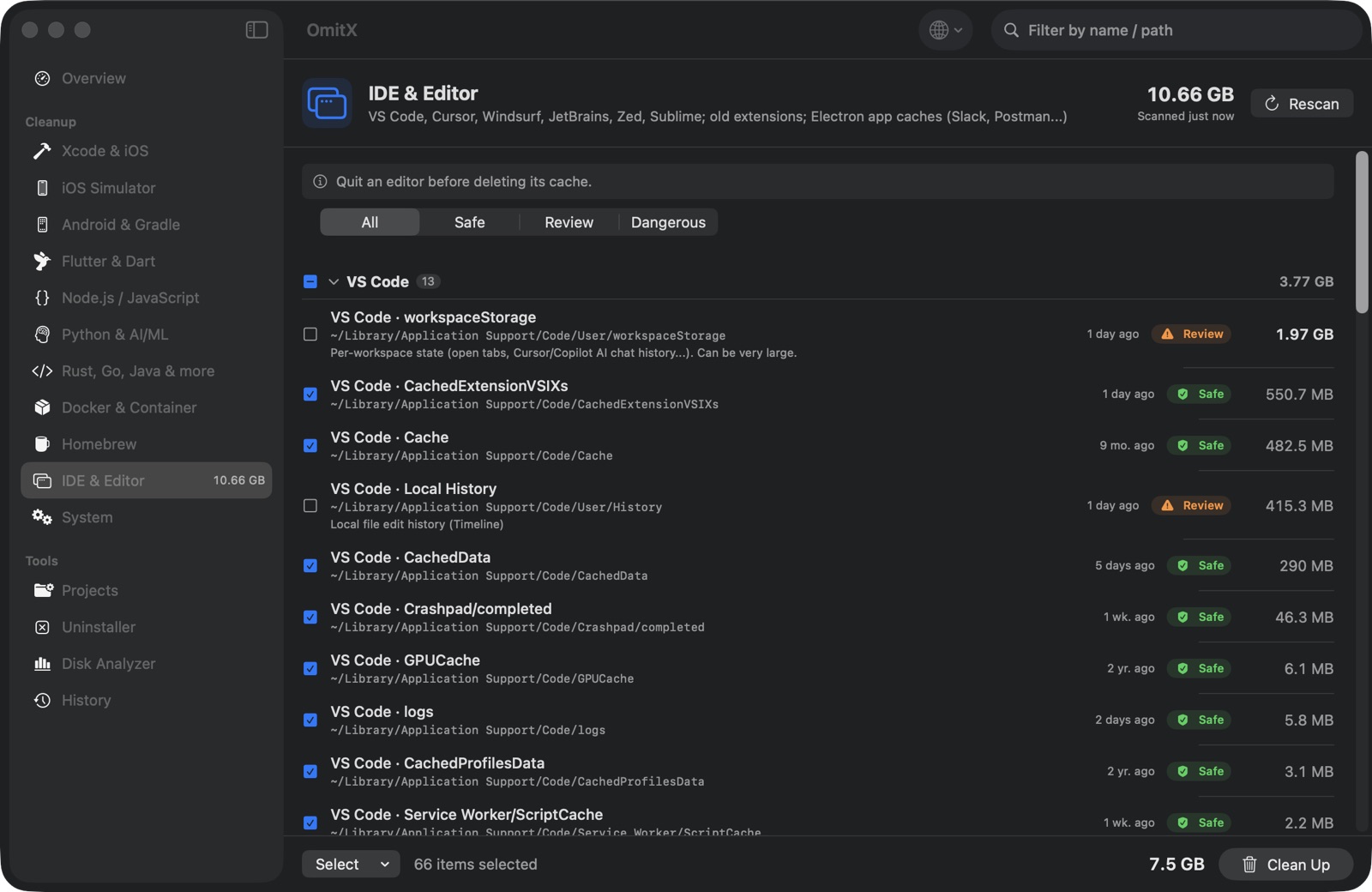
Also inside
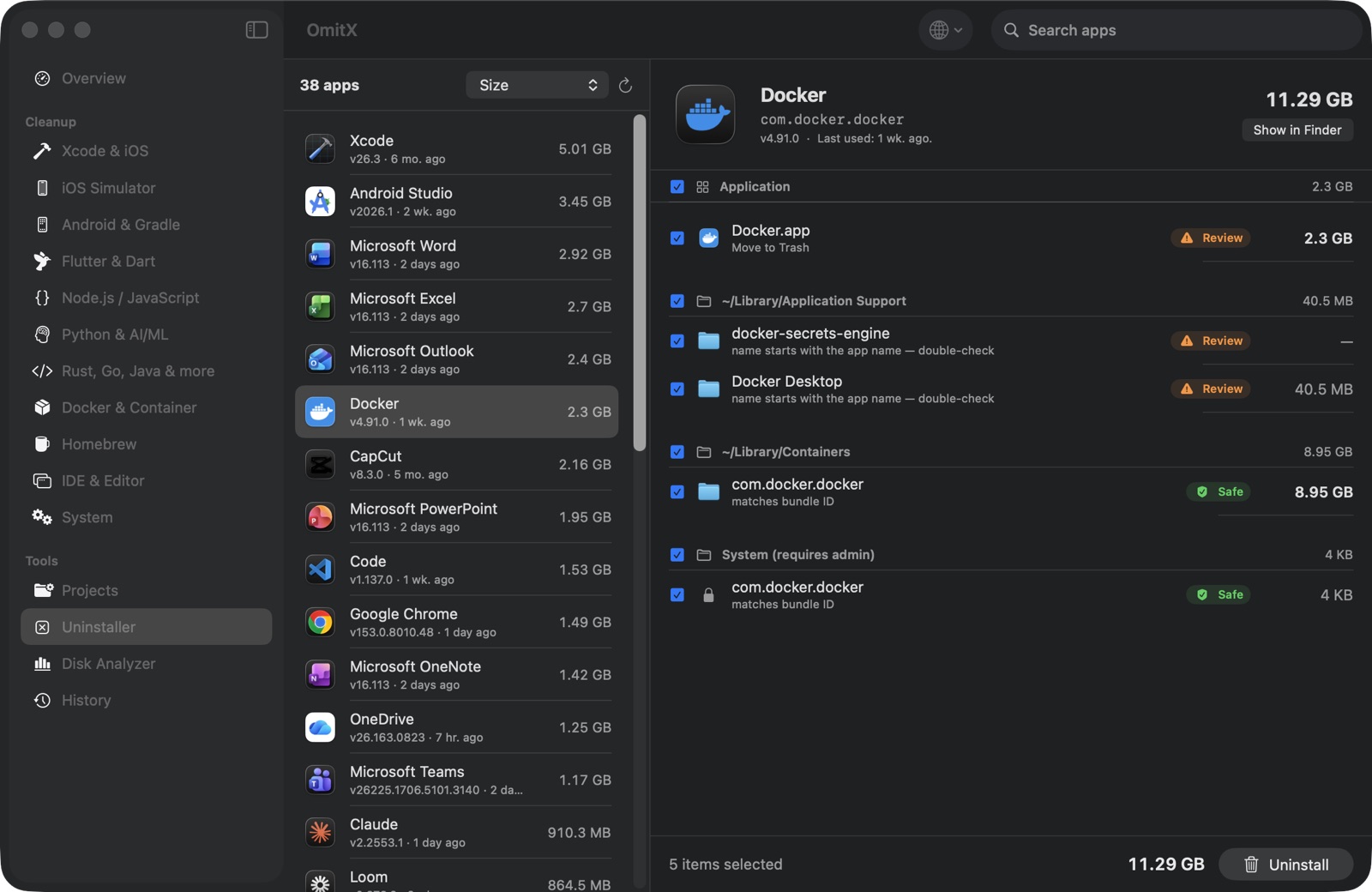
Finds leftovers by bundle ID and vendor folder — the 9 GB container Docker leaves behind, the old Android Studio configs in Application Support/Google.
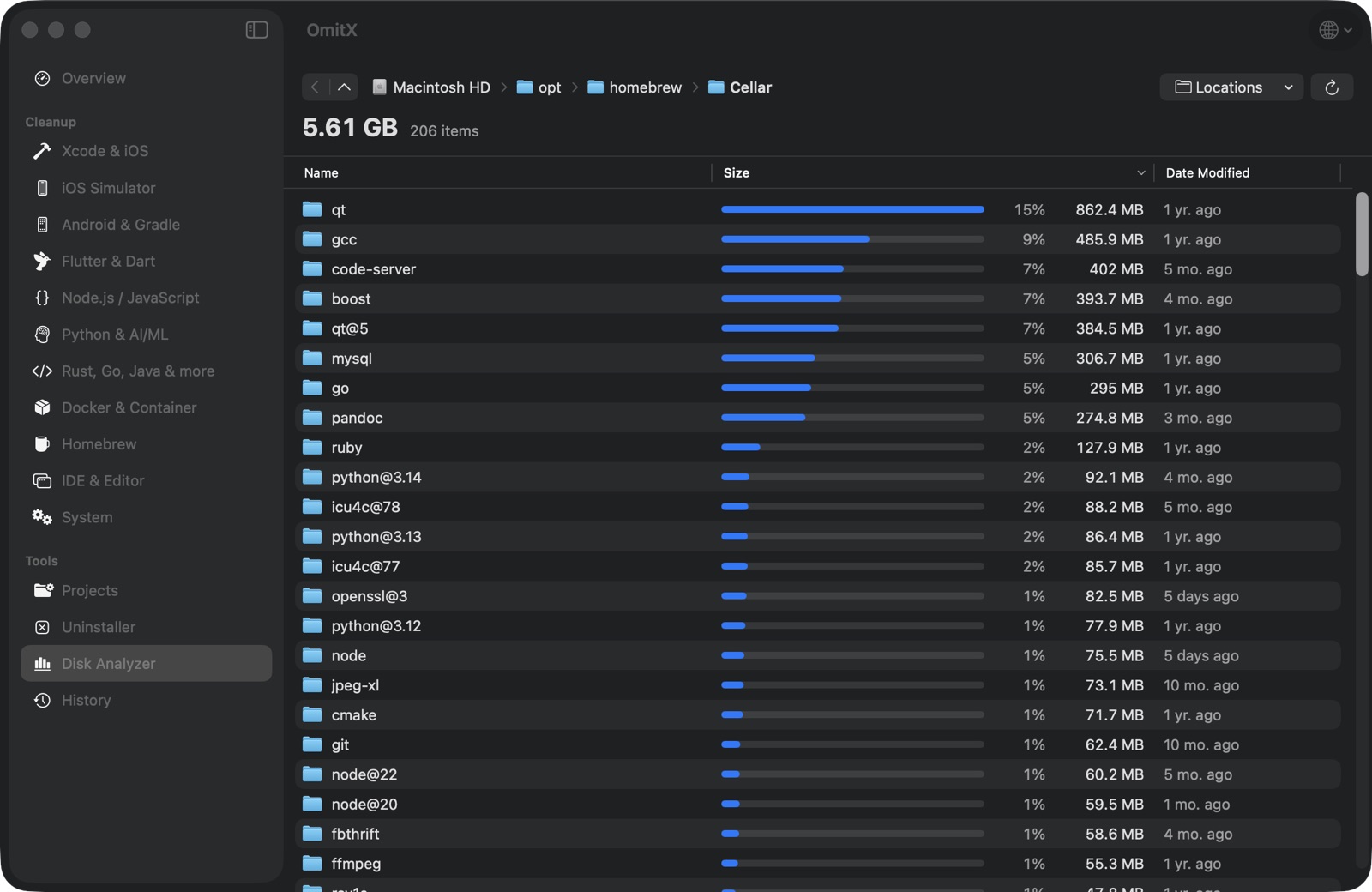
A sortable, drill-down map of any folder — Homebrew's Cellar, ~/Library, /Applications — sizes calculated in parallel as you browse.
35 languages
Fully localized — plurals, right-to-left layouts, Finder's own terms — for every language macOS itself ships in.
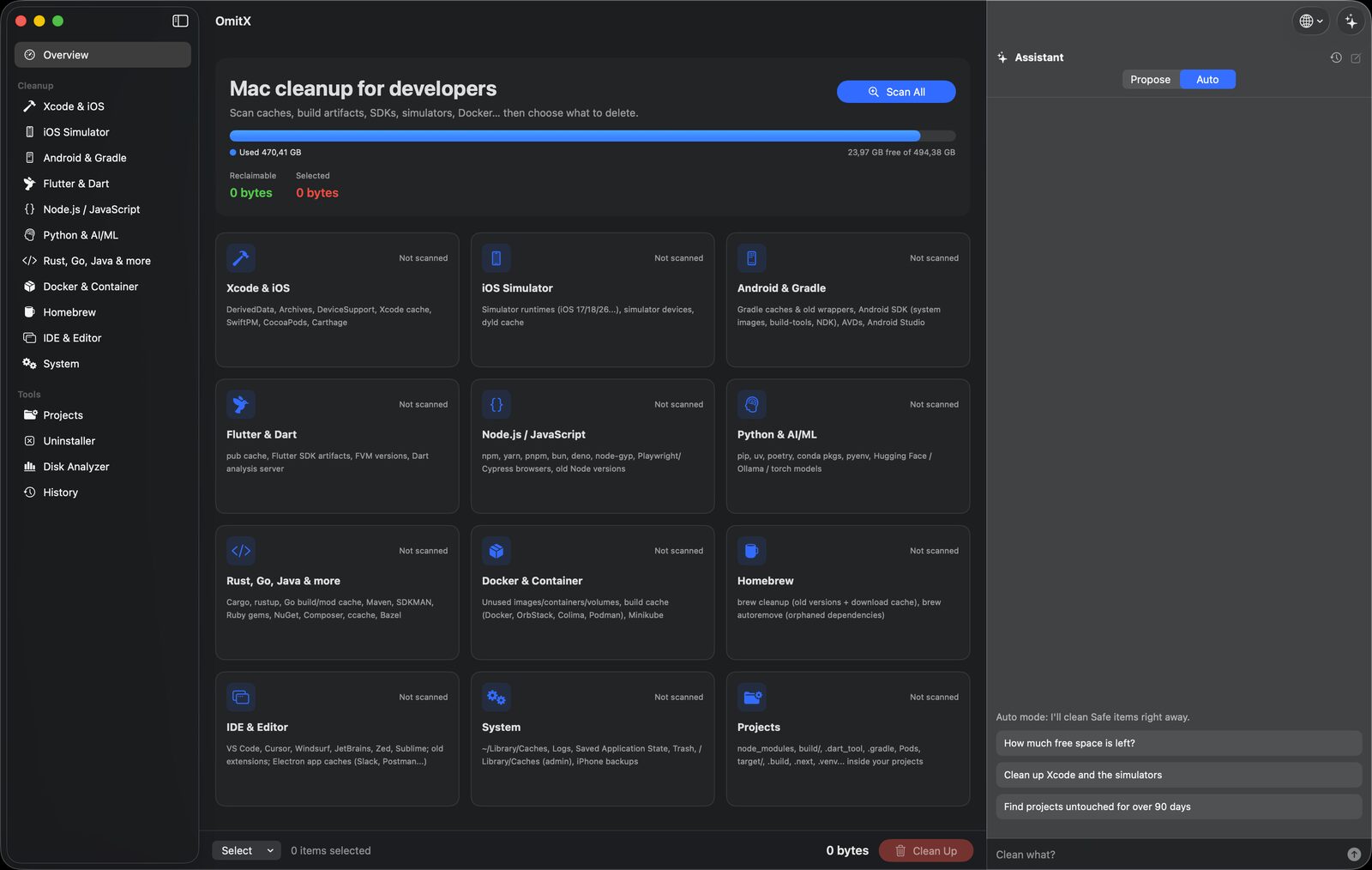
Pro
Pro adds an assistant that turns a sentence into a scan with the items already picked out, and a background agent that keeps space free while the window is closed.
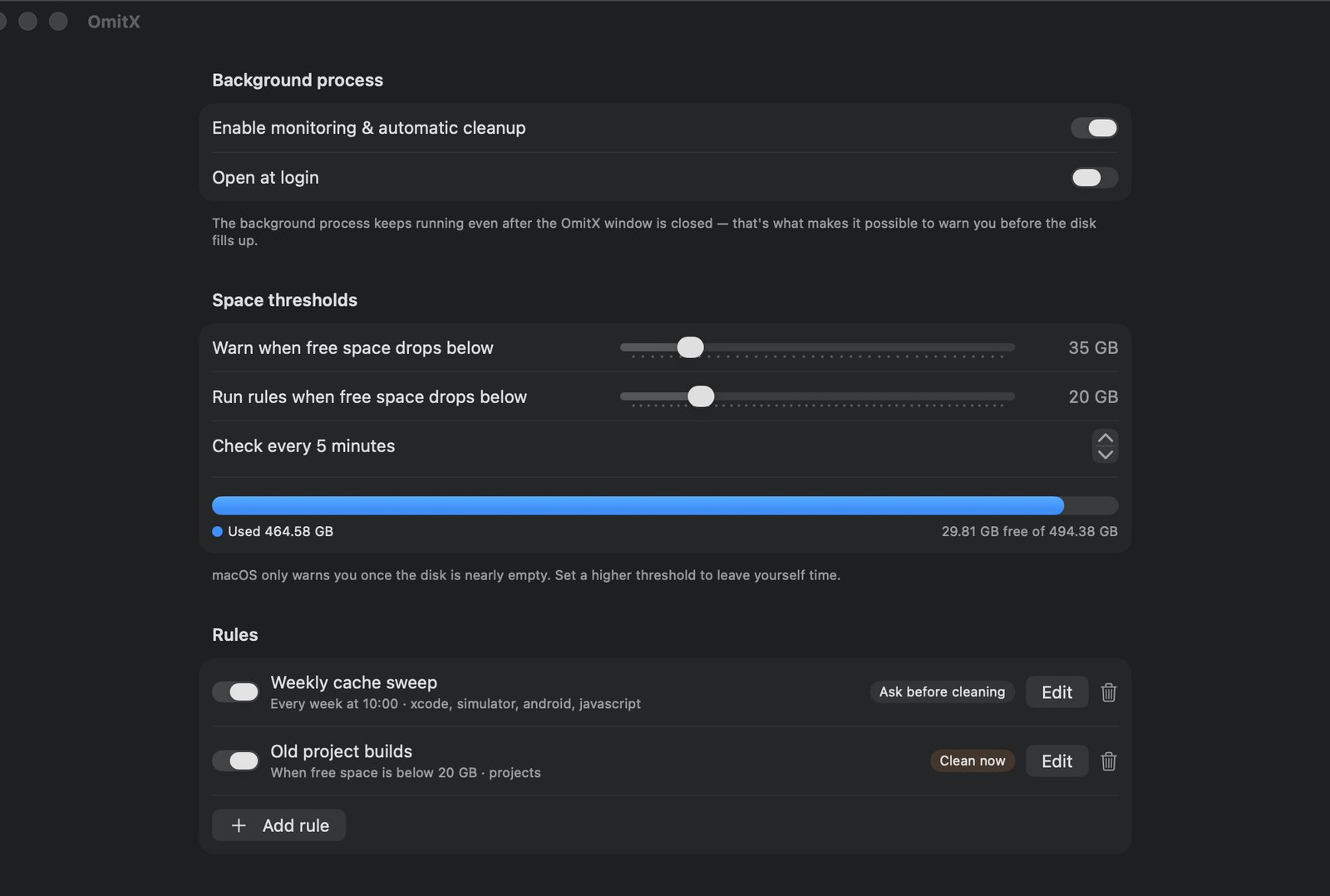
Set rules once. A background agent shows free space in the menu bar, warns you well before macOS does, and runs your rules on a schedule or when space runs low — only on items rated Safe, never anything that needs your password.
Pricing
Cleaning by hand is free. Pro adds the AI assistant and autopilot, for a one-time $16.68.
Everything you need to reclaim space by hand.
For people who never want to see "Your disk is almost full" again. Activates in the downloaded app, not in builds from source.
FAQ
Everything pre-selected is something your tools recreate on the next build: DerivedData, Gradle and npm caches, .dart_tool. The worst case is a slower first build. Items that cost a re-download are marked Review and left unselected; items that hold real data are marked Dangerous and need explicit confirmation.
Only if you ask it to. Caches, logs and debug output are pre-selected; session transcripts are listed per project (Claude Code) or per month (Codex), marked Review and left unselected — deleting them means those sessions can't be resumed. Settings, logins, skills, plugins and Claude Code's memory/ folders are never listed, and a session written to in the last few minutes is skipped.
OmitX checks every entry before offering it: it must belong to you, contain no socket, not be open in any running process, and not have changed in the last hour. Entries untouched for more than 3 days are pre-selected; newer ones are marked Review.
Yes. The source is on GitHub under GPL-3.0, and building it gives you every cleanup feature for free. Pro can only be activated in the signed, notarized app from the Download button; builds from source don't include the Pro engine.
App Store apps must run in a sandbox that can't read ~/Library/Developer or run simctl, docker or brew. OmitX ships as a Developer ID–signed, notarized app instead — the same way most developer tools do.
No. OmitX makes no network requests: no account, no analytics, no telemetry. Scans and cleaning happen entirely on your Mac.
General cleaners don't know that you want the newest Gradle wrapper kept, or that simulator runtimes should go through simctl. A script knows exactly one machine. OmitX shows you every item with its size, age and consequence before anything is touched.
macOS 14 Sonoma or later, Apple silicon or Intel. Grant Full Disk Access if you also want it to measure the Trash, Mail downloads and iPhone backups.